
Good day / good evening everyone...
I have, I guess, a question, comment, scratch my head moment -- please bear with me, and I will try to keep it short.
I purchased my Matrice 4T last July -- just shortly before the "Drone Ban" went into effect. Unfortunately, I have found several little "gotchas" while using it. None seems to be a "show stopper", but it has led me to scratch my head on occasion. Some of the manufacturing and design "decisions" have not seemed logical to me. Unfortunately, I have spent a significant amount of time these few days chasing functions that I "assumed", logically, should be there, or I thought were there.
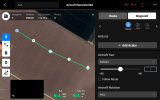
This particular instance has left me dumbfounded. In essence, you cannot have more than one point of interest (PoI) on a waypoint op run.
It started to slowly dawn on me after several hours of "chasing" procedures to figure out how to run with multiple PoIs. I had the impression that the M4T could do multiple waypoint / PoI combinations. That was one of the reasons I purchased it -- for some reason I "thought" it could do multi-waypointing / PoI combinations.
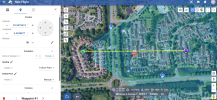
I cannot understand why, for example, if you have a 1,000' straight line with 3 waypoints, you can not shoot a PoI on your left (Waypoint 01 / PoI A), travel some distance at whatever orientation you want to set the drone at to Waypoint 02 / PoI B on the right, and then travel futher along to Waypoint 03 / PoI 03 on the left (180°) at the end of your run. That would require the M4T to yaw from pointing relative left, then 180° relative to the right, and then 180° back to your left again -- and so on. I could believe the Mavic 2 Enterprise Dual (Mav 2ED -- my previous "daily driver" ) only having one single PoI -- 5 plus years ago.
The whole goal was to have individual PoIs for the waypoints so I could tweak each photo shot. The original elevation photo run of the building in question was taken weekly and monthly over the last 18 months using a Mav2ED. I have transferred to the M4T -- needing to replicate the flight route, waypoints, and imagery shots. Since the M4T takes 4:3 imagery while the Mavic 2ED takes 16:9 imagery, I was going to have to play with each waypoint / PoI combination and the M4T's position in 3D space to replicate the imagery I was acquiring through the Mavic 2ED. Or as the saying goes -- get something that is "close enough for government work".
Today's hardware? I am mystified why you can't have more than a single PoI. Outside of track and waypoint duplication, how do you accomplish photographing two distinct features, 75 feet up, opposite from each other, to any degree of repeatable targeting and precision, on the same run? I (and several others) were under the impression that it can do multi PoI. I spent several hours trying different procedures and even reverting to Flight Hub 2 to try. Flight Hub 2 provided with its own head scratches after using it, but that's another topic for a different day...
So does it or doesn't it? I have concluded that it doesn't. I am stuck using a single PoI on multiple waypoints.
Now, I do realize I can turn the drone in the general direction and take shots -- that isn't the problem. I could also run to the waypoint, set hover for 5 seconds, run a video for 5 seconds, and then onto the next waypoint -- lather, wash, rinse, repeat. But for "tightening the shot" -- for my people I have to report to, PoI target per waypoint/shot, will go a long way to help me out (dont ask, that gets deep quickly).
Any advice (outside of Litchi) on having a multiple waypoints op and multiple PoIs on the run in question?
Thank You....
John
I have, I guess, a question, comment, scratch my head moment -- please bear with me, and I will try to keep it short.
I purchased my Matrice 4T last July -- just shortly before the "Drone Ban" went into effect. Unfortunately, I have found several little "gotchas" while using it. None seems to be a "show stopper", but it has led me to scratch my head on occasion. Some of the manufacturing and design "decisions" have not seemed logical to me. Unfortunately, I have spent a significant amount of time these few days chasing functions that I "assumed", logically, should be there, or I thought were there.
This particular instance has left me dumbfounded. In essence, you cannot have more than one point of interest (PoI) on a waypoint op run.
It started to slowly dawn on me after several hours of "chasing" procedures to figure out how to run with multiple PoIs. I had the impression that the M4T could do multiple waypoint / PoI combinations. That was one of the reasons I purchased it -- for some reason I "thought" it could do multi-waypointing / PoI combinations.
I cannot understand why, for example, if you have a 1,000' straight line with 3 waypoints, you can not shoot a PoI on your left (Waypoint 01 / PoI A), travel some distance at whatever orientation you want to set the drone at to Waypoint 02 / PoI B on the right, and then travel futher along to Waypoint 03 / PoI 03 on the left (180°) at the end of your run. That would require the M4T to yaw from pointing relative left, then 180° relative to the right, and then 180° back to your left again -- and so on. I could believe the Mavic 2 Enterprise Dual (Mav 2ED -- my previous "daily driver"
) only having one single PoI -- 5 plus years ago.The whole goal was to have individual PoIs for the waypoints so I could tweak each photo shot. The original elevation photo run of the building in question was taken weekly and monthly over the last 18 months using a Mav2ED. I have transferred to the M4T -- needing to replicate the flight route, waypoints, and imagery shots. Since the M4T takes 4:3 imagery while the Mavic 2ED takes 16:9 imagery, I was going to have to play with each waypoint / PoI combination and the M4T's position in 3D space to replicate the imagery I was acquiring through the Mavic 2ED. Or as the saying goes -- get something that is "close enough for government work".
Today's hardware? I am mystified why you can't have more than a single PoI. Outside of track and waypoint duplication, how do you accomplish photographing two distinct features, 75 feet up, opposite from each other, to any degree of repeatable targeting and precision, on the same run? I (and several others) were under the impression that it can do multi PoI. I spent several hours trying different procedures and even reverting to Flight Hub 2 to try. Flight Hub 2 provided with its own head scratches after using it, but that's another topic for a different day...
So does it or doesn't it? I have concluded that it doesn't. I am stuck using a single PoI on multiple waypoints.
Now, I do realize I can turn the drone in the general direction and take shots -- that isn't the problem. I could also run to the waypoint, set hover for 5 seconds, run a video for 5 seconds, and then onto the next waypoint -- lather, wash, rinse, repeat. But for "tightening the shot" -- for my people I have to report to, PoI target per waypoint/shot, will go a long way to help me out (dont ask, that gets deep quickly).
Any advice (outside of Litchi) on having a multiple waypoints op and multiple PoIs on the run in question?
Thank You....
John